
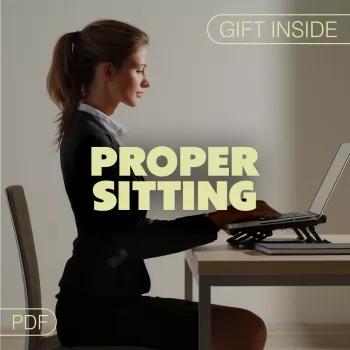
Clear thinking often starts with how the body is supported. When sitting posture reduces strain and improves breathing and circulation, concentration becomes easier to sustain, decision fatigue drops, and tasks feel less mentally heavy. The goal isn’t “perfect posture” all day—it’s a setup and a few repeatable resets that keep your body quiet in the background so your attention can stay on the work.
Below are the practical mechanics of focus-friendly posture, plus a simple desk setup that supports brainpower without turning your workday into a complicated project.
When posture is inefficient, the brain spends more bandwidth managing discomfort and strain signals. That can show up as restlessness, fogginess, irritability, or “can’t settle in” energy—especially during long screen sessions.
For workstation fundamentals and risk-reduction guidance, the CDC’s NIOSH ergonomics resources and OSHA’s computer workstation materials are reliable starting points: NIOSH – Ergonomics and Musculoskeletal Disorders and OSHA – Computer Workstations eTool.
This quick sequence is designed to be easy enough to repeat—because repetition is what makes it work. Think “tall and relaxed,” not stiff and military.
If you want a structured, repeatable routine you can keep on your desktop, use the internal resource here: Digital guide: How Proper Sitting Boosts Clarity and Productivity.
A supportive workstation reduces the “low-grade friction” that pulls attention away from the task. Small changes—especially screen height, forearm support, and seat depth—often create the fastest mental relief.
| Setup element | Target | Quick test |
|---|---|---|
| Feet support | Feet flat and stable | No toe-pointing or dangling legs |
| Hip-to-knee height | Hips level with or slightly above knees | Knees not higher than hips for long periods |
| Elbow position | Elbows near sides at ~90°–110° | Shoulders stay relaxed while typing |
| Keyboard distance | Close enough to avoid reaching | Upper arms vertical-ish, not drifting forward |
| Monitor height | Top third of screen near eye level | No chin jutting or head tilt to see text |
| Monitor distance | About an arm’s length (adjust for comfort) | Readable without leaning in |
A structured approach helps translate ergonomic best practices into daily behavior—especially for remote work, studying, and long screen sessions. The How Proper Sitting Boosts Clarity and Productivity digital guide is designed to turn posture resets, desk measurements, and movement breaks into a simple checklist you can actually follow.
For a second, complementary system that supports consistency across long projects, pair your setup routine with a lightweight progress habit using Creative Hobby Progress Tracker Ideas – Digital Ebook Guide.
Better posture mainly supports focus by lowering distraction from discomfort, improving breathing mechanics, and reducing eye/neck strain that can feel like brain fog. It won’t replace sleep, breaks, or good planning, but it can make sustained attention feel noticeably easier.
Keep feet supported, hips level with or slightly above knees, and maintain gentle lumbar support with relaxed shoulders and elbows near your sides. Center the screen at a comfortable height and distance, and change posture slightly throughout the day to avoid stiffness.
A practical cadence is 25–50 minutes of work followed by 2–5 minutes of movement, or the simpler 30–2 approach (shift positions every ~30 minutes). Brief, consistent breaks help prevent stiffness and the attention drop that often follows it.












Leave a comment