Pick the Perfect Smart TV for Your Home
A smart TV can transform movie nights, gaming sessions, and everyday streaming—if the size, panel type, features, and connections match the room and how it’s used. The goal is simple: get a TV that fits the space, looks great in your lighting, supports the apps and devices you actually use, and won’t force upgrades later because of missing ports or weak audio.
Start With the Room: Size, Seating Distance, and Placement
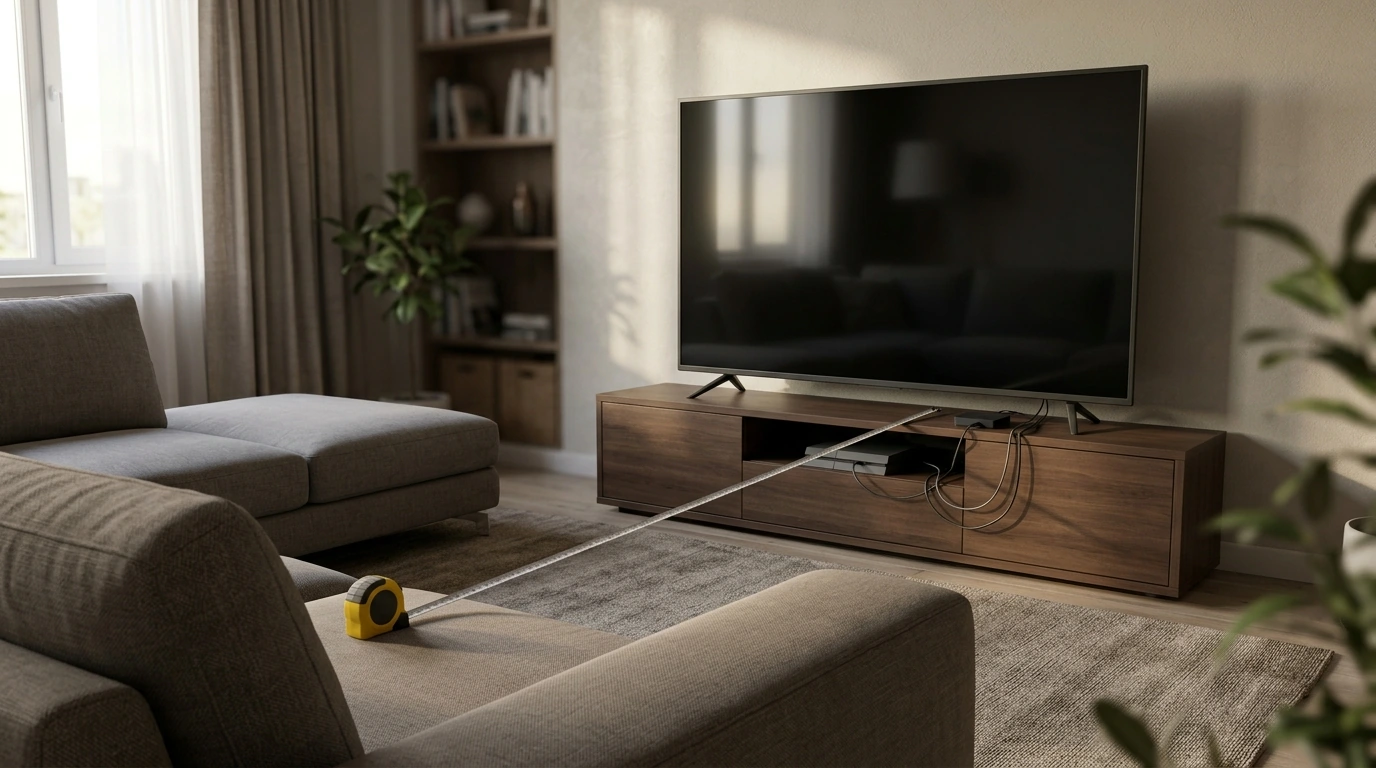
Before comparing brands and specs, lock in the real-world constraints: how far people sit, where the TV will live, and how much daylight hits the screen. A screen that’s “too big” isn’t just about price—it can feel overwhelming up close, and poor placement can create neck strain or constant reflections.
- Measure viewing distance from the main seat to the screen. This is the fastest way to narrow screen size without guesswork.
- Decide stand vs. wall mount early. Wall mounting affects cable routing, port access (especially rear-facing HDMI), and the ideal center-of-screen height.
- Check glare sources like windows and lamps. If reflections are unavoidable, plan for higher brightness and better reflection handling—or adjust the placement.
- Confirm the footprint (stand width and depth) fits your furniture, or choose a VESA-compatible mount for flexibility.
Quick screen-size guide by viewing distance (approximate)
| Viewing distance |
Recommended screen size range |
Best use case |
| 5–6 ft (1.5–1.8 m) |
43–55 in |
Bedrooms, small living rooms, casual streaming |
| 7–8 ft (2.1–2.4 m) |
55–65 in |
Most living rooms, mixed TV and movies |
| 9–10 ft (2.7–3.0 m) |
65–75 in |
Movie-forward setups, larger living rooms |
| 11–12 ft (3.3–3.7 m) |
75–85 in |
Big rooms, home theater feel |
Choose the Picture Technology: LED, QLED, OLED, and Mini-LED
Most modern TVs are some flavor of LCD/LED or OLED. The “best” choice depends on whether your room is bright or dim and whether people watch from wide angles.
- LED/LCD: Usually the most affordable. Quality ranges widely—local dimming and panel type make a big difference in contrast.
- QLED (quantum dot LCD): Often brighter with richer color than basic LED models, making it a strong fit for sunny rooms and sports.
- Mini-LED: A step up in local dimming control, improving contrast while keeping high brightness—often a great “do-everything” option.
- OLED: Known for deep blacks, excellent contrast, and strong viewing angles. A standout for dark-room movie watching and premium image quality.
- Match tech to seating: For wide seating areas, prioritize viewing angles. For bright rooms, prioritize peak brightness and reflection handling.
If you like to compare measured performance across many models, independent lab-style testing can be useful (see RTINGS TV Reviews and Tests).
Resolution, HDR Formats, and Refresh Rate
Resolution grabs attention, but HDR and motion performance often have a bigger impact on how “premium” a TV looks—especially for movies, live sports, and next-gen gaming.
- 4K is the practical standard for most screen sizes and budgets. 8K tends to be hard to justify unless the screen is extremely large and the budget is flexible.
- HDR matters more than raw resolution. Strong brightness, good contrast control, and solid color volume help HDR highlights look realistic instead of dull.
- Look for HDR10 plus Dolby Vision support for broad compatibility with streaming libraries. Dolby Vision can deliver scene-by-scene optimization when content supports it (learn more at Dolby Vision).
- For sports and gaming, a true 120Hz panel can improve motion clarity and responsiveness.
- Watch the motion settings. Aggressive smoothing can create the “soap opera effect.” A good TV lets you fine-tune or fully disable motion processing.
Smart TV Platform and App Support
The best picture in the world won’t feel great if the home screen is slow, apps crash, or your favorite services are missing. Choose a platform that fits everyday habits.
Ports and Connectivity to Avoid Regrets Later
- Count HDMI needs: streaming device, game console, soundbar/receiver, plus anything else (cable box, Blu-ray, media player).
- Prioritize HDMI eARC for simple, high-quality audio to a soundbar or AV receiver.
- For gaming, consider HDMI 2.1 features like 4K/120, VRR, and ALLM—especially for newer consoles and gaming PCs. For details, see the HDMI 2.1 Specification Overview.
- Use Ethernet when possible for the most stable 4K HDR streaming, especially if Wi‑Fi coverage is inconsistent.
- Only pay for extras you’ll use (optical audio, Bluetooth, USB) based on existing accessories.
Sound: When TV Speakers Are Not Enough
A Practical Checklist Before Buying
Recommended Reads and Home Picks
If you want a tighter, step-by-step buying companion, this guide is available here: Pick the Perfect Smart TV: Your Ultimate Guide to Choosing the Right Smart TV for Your Home.
For a hands-free home upgrade that complements a modern living space, consider: 9L Smart Sensor Trash Can – Eco-Friendly, Touchless Waste Bin for Bathroom & Kitchen.
FAQ
What size smart TV is best for a small living room?
Start with viewing distance: for about 5–8 feet, a 43–65 inch screen is typically comfortable. If people sit off-center, prioritize better viewing angles, and account for glare before sizing up.
Is OLED worth it compared to QLED or Mini-LED?
OLED is a top choice for dark-room contrast and wide viewing angles, delivering deep blacks and a cinematic look. QLED and Mini-LED models often get brighter, which can be a better fit for sunny rooms and daytime sports.
Which TV features matter most for gaming?
Look for a true 120Hz panel, low input lag, and support for VRR and ALLM; HDMI 2.1 is important if you want 4K at 120fps from a compatible console or PC. Also confirm you have enough HDMI ports and eARC if you’re routing audio to a soundbar or receiver.
Recommended for you












Leave a comment