
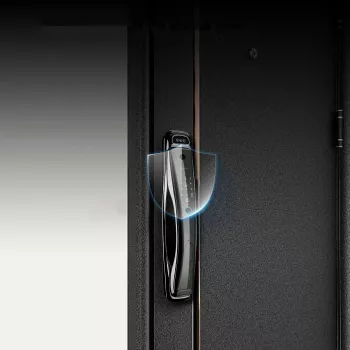
A smart door lock with 3D face recognition can streamline entry while strengthening access control for homes, apartments, and small offices. Instead of juggling keys, typing codes, or digging for a phone, household members can unlock the door with a quick face scan—while still keeping backup options ready for guests, outages, and edge cases. Below is a practical breakdown of how WiFi-connected face recognition locks work, what matters for daily reliability, and how to set up secure access for family members, roommates, and service providers.
Not all “face recognition” is the same. Basic 2D systems can compare a flat image (like a photo) to a stored profile, while 3D facial mapping evaluates depth and facial structure. That depth sensing can help reduce spoofing attempts using printed photos or images displayed on a screen, because the system is looking for real-world contours rather than only pixels.
A typical authentication flow looks like this:
This approach is especially helpful for hands-full entry (groceries, kids, packages), frequent arrivals (busy households), shared living situations (multiple authorized users), and short-term guest access where you want control without handing out physical keys.
Most face recognition smart locks are designed around a primary method (face unlock) plus fallbacks. In real life, backup entry options matter just as much as the “wow” feature—because batteries run low, WiFi can drop, and guests won’t always be enrolled.
For daily users, face recognition is the fastest routine: walk up, get recognized, and enter. The best experience comes from consistent placement (proper height and angle), steady lighting, and a clean sensor window.
Depending on model/configuration, common fallbacks include mobile app unlock, PIN/passcode, mechanical key override, or an access card. Before relying on face-only entry, confirm that at least one backup method is enabled, tested, and convenient for everyone who lives there.
WiFi-connected locks often support temporary permissions, scheduled access windows (for cleaners or dog walkers), and quick revocation after the job is done. For short stays, time-boxed access can be far safer than copying keys.
Look for event history (who unlocked and when) and optional alerts for critical events. The goal is awareness without constant pings—especially in high-traffic households.
| Access method | Best for | Things to verify before buying |
|---|---|---|
| 3D face recognition | Hands-free entry for household members | Works in low light, recognition speed, number of faces supported |
| Mobile app over WiFi | Remote unlock and monitoring | App compatibility, cloud vs local control, notification options |
| Passcode/PIN | Guests or backup entry | Code length, anti-peep features, temporary codes |
| Mechanical key (backup) | Power outages or emergency access | Keyway type, override reliability, included keys |
WiFi is what turns a smart lock into a remote management tool. With the right app support, it can enable status checks, remote locking/unlocking, permission updates, and notifications. That said, WiFi isn’t required for local unlocking methods like face recognition or a PIN on many locks—so it’s best to treat WiFi as the “remote layer,” not the only way in.
Because connected locks may store or transmit access events and account details, take baseline security steps seriously. Guidance from sources like the FTC on securing smart devices and CISA on wireless network security aligns well with smart lock best practices: use strong, unique passwords, enable two-factor authentication if offered, and keep firmware updated.
Account security matters, too. Review shared access periodically, remove old users promptly, and keep app credentials locked down. Face recognition quality varies across implementations, and broader performance research (like the NIST Face Recognition Vendor Test (FRVT)) highlights why lighting, angles, and sensor design affect outcomes—so real-world testing after installation is essential.
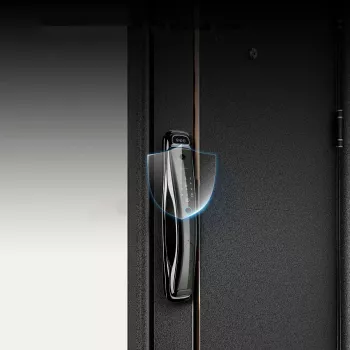
The WiFi Smart Security Door Lock with 3D Face Recognition is built for keyless entry with face-based unlocking and WiFi-connected control, aiming to simplify daily access while giving you tools to manage permissions without distributing physical keys.
It depends on the lock’s sensor and any built-in illumination designed for low-light use. After installation, test recognition at your typical nighttime lighting levels and keep a backup method (PIN/app/key) enabled in case conditions reduce accuracy.
Local entry methods like face recognition, PIN, or a mechanical key typically continue to work, while WiFi-dependent features (remote unlock, notifications, and some logs) may pause. Confirm the lock’s offline behavior and keep batteries in good condition so local unlocking stays reliable.
Many WiFi smart locks support temporary PINs, scheduled access windows, or app-based sharing that can be revoked anytime. If available, review event history afterward to confirm access occurred only when expected.










Leave a comment