
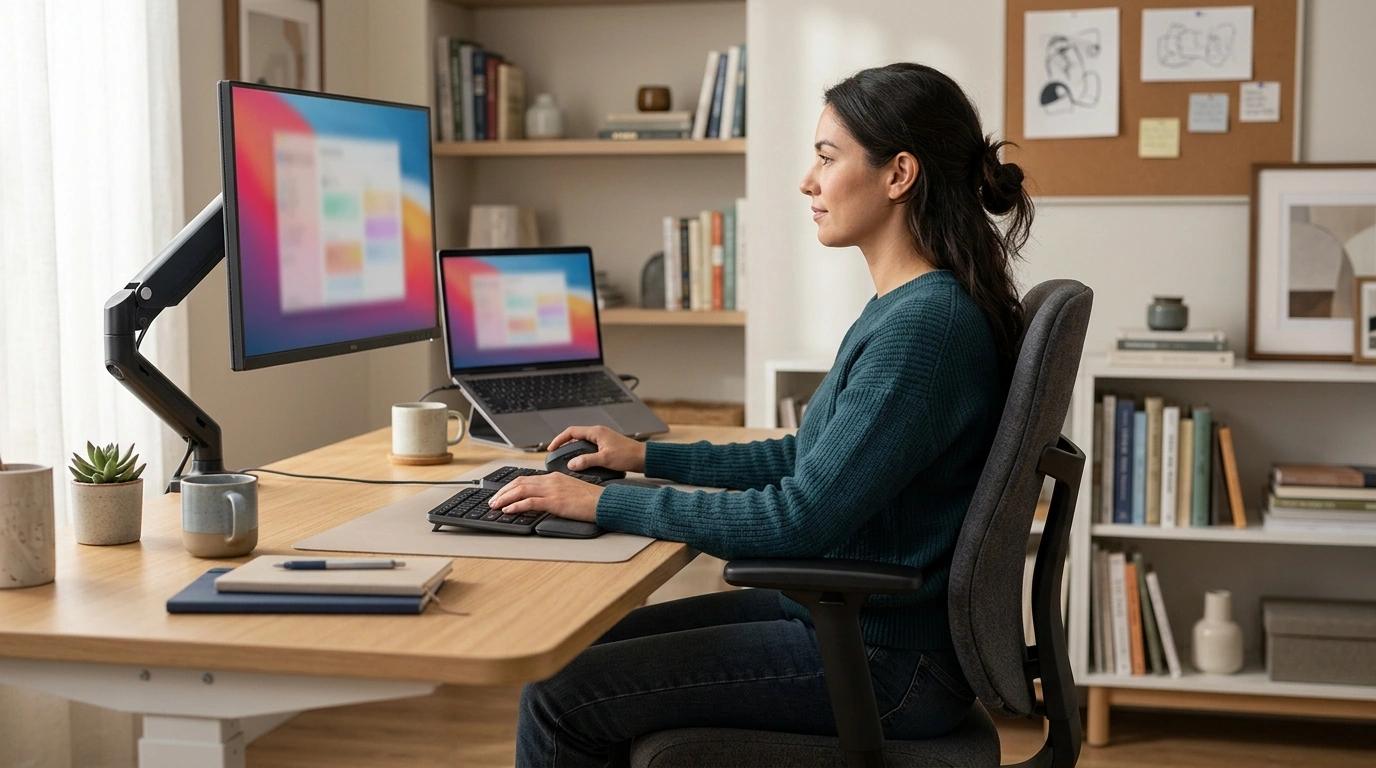
Comfortable desk posture is less about holding one rigid pose and more about arranging your chair, screen, and input devices so your body can stay relaxed. Start with the setup, then make small position changes throughout the day.
Sit back in your chair with your pelvis supported by the backrest. Keep your shoulders relaxed, elbows close to your sides, and forearms roughly parallel to the floor. Your knees should be near hip level, with both feet resting flat on the floor or on a footrest. Leave a little space between the front edge of the seat and the backs of your knees.
Set the seat height so your feet are supported and your thighs are close to level. If your chair has lumbar support, position it to fit the inward curve of your lower back without pushing you forward. Use the backrest rather than perching on the seat edge, and avoid tightening the recline so much that you feel locked in place.
Place the monitor directly in front of you, about an arm’s length away. The top of the screen should be around eye level, so you can look ahead without tipping your head down. Keep the keyboard close enough that your elbows stay near your body, and place the mouse beside it to limit reaching. On a laptop, a separate keyboard and mouse can help when you raise the screen.
Let your wrists stay straight while typing or using the mouse; avoid resting them on a sharp desk edge. Keep your shoulders down instead of reaching toward the keyboard. If the desk is too high for relaxed elbows, adjust the chair and support your feet, or consider changing the workstation height.
Even a well-adjusted workstation can feel uncomfortable if you stay still for too long. Shift your posture occasionally, stand or walk during breaks, and give your eyes a brief rest by looking away from the screen. If a position causes persistent discomfort, adjust the setup and consider advice from a qualified health professional.
For a fuller workstation walkthrough, read the ergonomic sitting and desk setup guide.
Take brief movement breaks regularly rather than waiting until you feel stiff. Stand, stretch gently, or walk for a minute or two, and change position as needed.












Leave a comment