
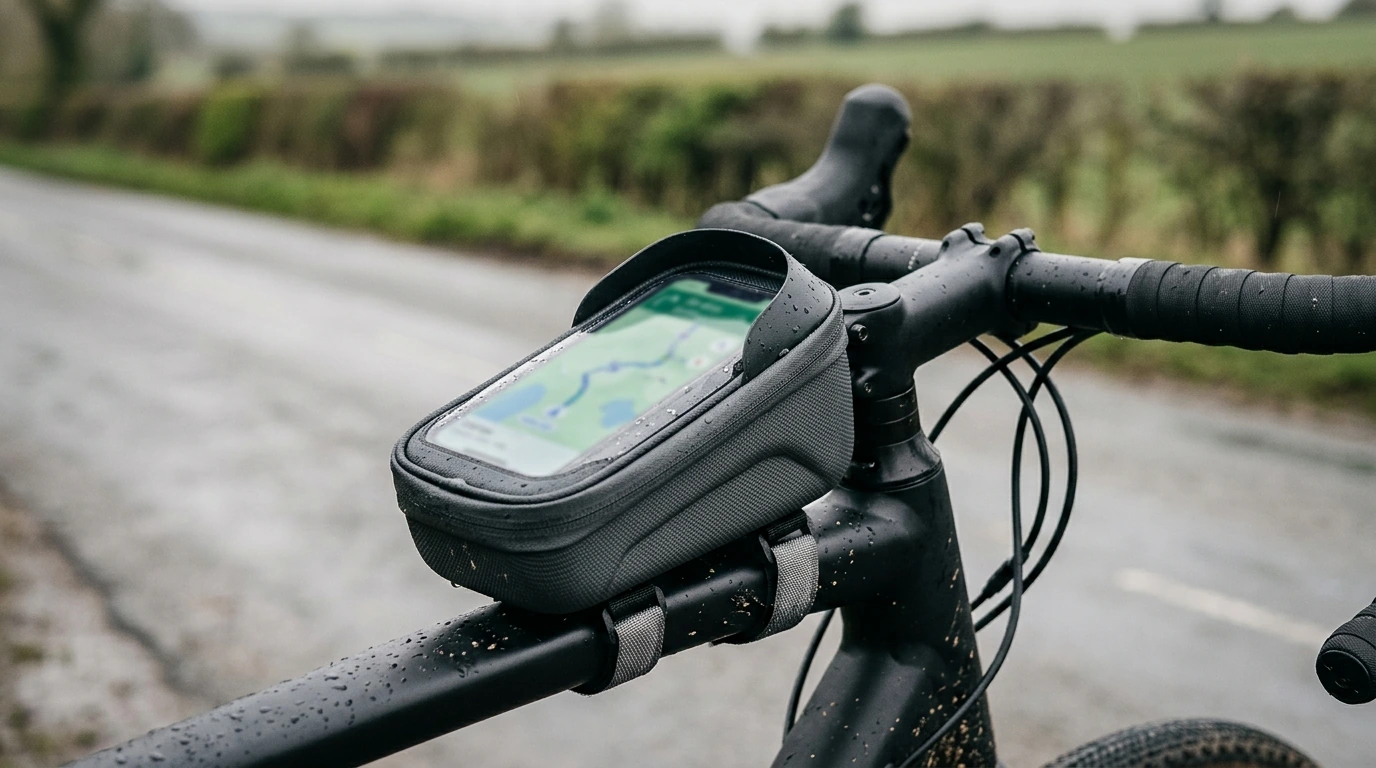
A top tube phone bag keeps navigation and essentials within easy reach without stuffing jersey pockets. This waterproof, hard-shell EVA design is built to help protect a phone from splash, grit, and light impacts, while the touch-screen window lets maps and music controls stay usable on the move. For riders who prefer a quick glance down at directions instead of stopping to dig through a pocket, a top-tube setup can feel like a small upgrade that makes every ride smoother.
If you’re deciding between bag styles, REI’s overview on how to choose bike bags is a solid reference for matching storage to riding type and access needs.
Top tube bags are simple, but a few measurements prevent common annoyances like knee rub, zipper stress, or cable interference.
| Check | Why it matters | How to verify |
|---|---|---|
| Phone fits with case | Prevents pressure on screen and zipper strain | Measure phone + case and compare to the bag’s internal space |
| Knee clearance | Avoids rubbing and discomfort when out of the saddle | Mock-position a similar-sized object on the top tube and pedal standing |
| Cable/headset clearance | Reduces steering resistance and cable wear | Turn bars fully left/right and check for contact |
| Straps hold firm | Stops sliding and improves touch accuracy while riding | Confirm multiple anchor points and tighten after a short test ride |
A touch window is most useful when it’s treated like a “quick input” surface rather than a full-time typing station.
Tip for smoother navigation: set your map to “north up” or “direction up” based on preference before you ride, then leave it alone unless you’re stopped.
“Waterproof” in bike storage usually means protection from rain and spray, not underwater use. Standards like Ingress Protection (IP) ratings explain how sealing is evaluated on electronics; bags vary widely because zippers and seams are typical entry points.
For general bike cleanup routines (especially after gritty rain rides), Park Tool’s guide to bicycle cleaning basics pairs well with keeping bag contact points free of dirt.
For a streamlined, weather-ready setup, the Waterproof EVA Hard Shell Bike Top Tube Phone Bag with Touch Screen is a strong match for riders who want phone visibility with added structure and splash protection.
If you like keeping a simple routine for ride goals, maintenance reminders, or training consistency, consider pairing your setup with a lightweight planning resource like Creative Hobby Progress Tracker Ideas – Digital Ebook Guide to help organize habits beyond the bike computer.
Most capacitive touchscreens work through a thin clear window, but responsiveness can vary based on phone model, screen protector thickness, and how tightly the phone sits. In rain, droplets can reduce accuracy, so larger on-screen buttons and audio prompts help.
Typically no—these bags are designed for rain and road spray rather than being held underwater. Zippers and seams can eventually let water in under prolonged exposure or pressure, so it’s best to treat “waterproof” as storm-ready, not dive-proof.
Route straps so they anchor firmly around the top tube and headset area, tighten evenly, and re-tighten after a short shakedown ride. Keeping heavier items snug and cleaning grit from the strap contact points also helps reduce shifting.









Leave a comment